
How Do I Evaluate a Low-Cost Used Gaming PC Before Buying It?
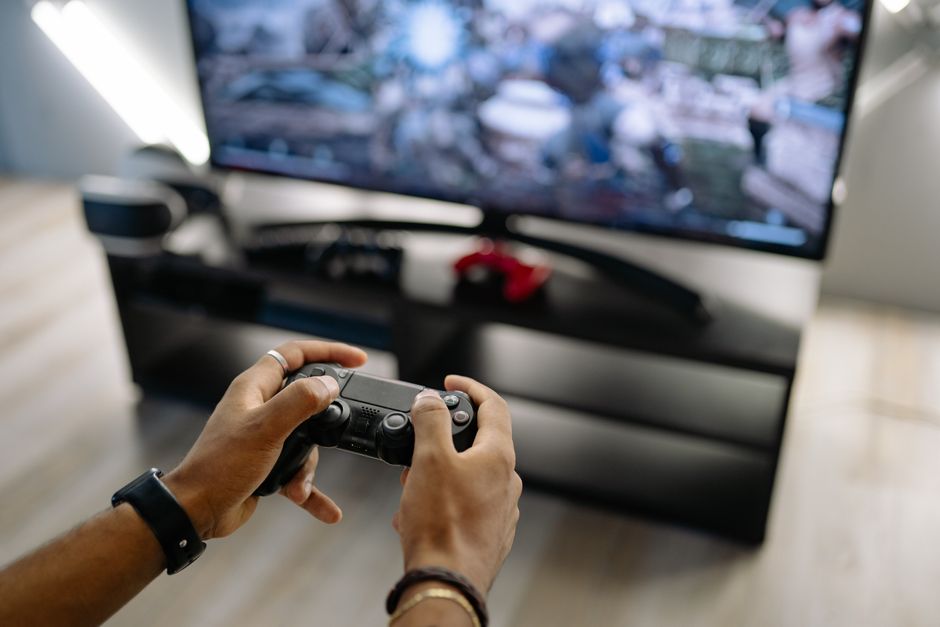
A low-cost used gaming PC is worth buying only after you verify its actual components, compare the asking price with recent sold listings for those components, and test it under load before payment. Require photos of the real machine, inspect it in a public place, use a protected payment method where possible, and walk away from specifications the seller cannot demonstrate.
The apparent bargain is the puzzle: a complete computer has one price in a listing, but it has several separate sources of risk. The case can conceal a substituted graphics card, a weak proprietary power arrangement, damaged cooling, or a transaction with no meaningful recourse. A disciplined inspection turns that ambiguity into a sequence of evidence.
What should I check before buying a used gaming PC?
Before buying a used gaming PC, verify the machine in front of you, test its basic function, and confirm that the transaction itself is safe.
Start with the listing. The Federal Trade Commission warns that stock photos cannot establish the condition of an item or even prove that the seller has it. Ask for current photos of the exterior and the powered-on system, then compare every visible detail with the photos when you meet.
Bring the listing with you and check the reported hardware in Windows. Microsoft says that opening Device Manager and expanding Display adapters shows the GPUs installed in a device. Run DirectX Diagnostic Tool by searching for dxdiag, allow its driver-signature check, and select “Save All Information.” The resulting report is a useful record of what Windows reports for the system and graphics configuration.
Then test the simple things that listings often leave unstated: does it boot, produce a stable display, accept normal input, and remain usable when a game or graphics test runs? The goal is not to certify a machine forever. It is to prevent payment for a computer that cannot demonstrate the identity and baseline operation being advertised.
| Inspection point | Evidence to request or observe | Reason to stop |
|---|---|---|
| Listing photos | Current photos of the actual PC | Only stock images or inconsistent machine details |
| GPU identity | Device Manager and dxdiag display information | Reported adapter differs from the listing |
| System record | Saved dxdiag report | Seller refuses a basic hardware check |
| Stability | A demanding game or graphics stress test | Crashes, artifacting, or deteriorating clocks |
| Transaction | In-person inspection and documented messages | Pressure to deposit funds before seeing the PC |
How do I know whether a used gaming PC is overpriced?
A used gaming PC is overpriced when the asking price exceeds what its verified parts are selling for or approaches a better-supported new alternative.
Do not price the label “gaming PC.” Price the demonstrated CPU, GPU, memory, storage, motherboard, power supply, case, and included accessories separately, then compare the sum with recent sold listings for equivalent parts. This method also exposes the listing that emphasizes a recognizable graphics card while omitting the rest of the system. Missing information is not neutral; it prevents a fair comparison.
New alternatives impose a ceiling. Tom's Hardware found in a March 12 to April 11, 2025 U.S. sold-listing sample that used RTX 4070 prices had risen above $600, while a new RTX 5070 was routinely available for $550 to $600; its testing measured the RTX 5070 as 18% faster at 1440p ultra. The principle is broader than those models: a used part loses its case when the price is near a more capable new option.
Ask the seller which games, resolution, and settings support the claim that the PC is suitable for your library, but treat that description as a starting point rather than a benchmark. The reliable comparison is between the verified GPU and CPU in the machine and the stated requirements of the games you intend to run. Public data does not provide one universal fair price for every used PC, because condition, parts, and local market supply differ.
Can I test a used gaming PC before paying on Facebook Marketplace?
Yes: insist on examining and testing the PC before payment, meet in a public place with another person, and do not send a deposit to secure the meeting.
New Zealand Police reported Facebook Marketplace cases involving fake profiles advertising high-end electronics at prices that appeared too good to be true. Its guidance is direct: examine the item before completing the transaction, meet in public, bring a friend, and never deposit money before receiving the item. It also recommends reviewing the seller's Marketplace profile for mutual friends, activity, and ratings.
That safety check and the technical check should happen together. Arrange a meeting where the PC can be powered on and tested, rather than treating a handoff as proof of legitimacy. If that is not possible, the buyer should understand what protection the marketplace actually offers. The FTC explains that some marketplaces leave payments, returns, refunds, delivery, and disputes to the buyer and seller, while others offer processes for items that never arrive or differ from the listing.
Use a credit card or a secure payment system with buyer protection when the option is available. The FTC specifically warns against wire transfers, gift cards, cash reload cards, and cryptocurrency because recovering money is generally difficult or impossible. Keep the listing, messages, payment record, and any hardware report; platforms can have short windows for refund requests or assistance.
Which used PC parts are safe to buy and which should I avoid?
Used parts are safer when their identity and operation can be demonstrated; avoid any component whose provenance, compatibility, or stability the seller cannot show.
Graphics cards deserve the most demanding test because they determine much of gaming performance and can hide failure under a brief desktop demonstration. Tom's Hardware recommends serious GPU work after purchase, such as a looping 3DMark test, FurMark, or a demanding 3D game, while monitoring temperature, fan speed, power, and clocks. It says 60 to 80 degrees Celsius is not unusual for many GPUs, but temperatures above 80 C are concerning, especially when clocks fall.
Mining history is one question, not a verdict. Tom's Hardware notes that Ethereum mining ceased being viable in mid-2022, making later Nvidia RTX 40-series and AMD RX 7000-series cards less likely than older generations to have been used for 24/7 mining. That does not prove an individual card's condition. A stable stress test and accurate identification still matter more than a reassuring generation label.
Be especially cautious with proprietary parts: an unusual case, motherboard, or power arrangement can limit ordinary upgrades and make replacement more difficult. Also inspect the information Windows exposes against the listing rather than relying on stickers, case badges, or a seller's verbal description. NIST identifies counterfeiting, tampering, unauthorized production, theft, and unexpected software or hardware as supply-chain risks; its device-integrity approach compares component attributes such as serial number, firmware, software information, and configuration with trusted artifacts. A private used-PC buyer usually will not have those artifacts, which is precisely why unverifiable hardware deserves a discount or a rejection.
The conclusion is practical: buy the evidence, not the story. A verified configuration, a stable load test, a defensible component-based price, and a safe transaction method are the minimum standard. If one of those elements is absent, the low price is not compensation; it is an unmeasured risk.
Frequently Asked Questions
How can I check if the listed GPU and CPU are really in the PC?
Open Windows Device Manager and expand Display adapters to see the GPUs Windows detects. Then run dxdiag and use Save All Information to create a shareable report; its System and Display information provides a second record of the machine's reported hardware and DirectX details. Compare those results with the listing before you pay.
What benchmarks should I run on a used gaming PC?
Run a demanding stability test, such as a looping 3DMark test, FurMark, or a demanding 3D game, while watching temperatures, fan speed, power, and clocks. Tom's Hardware says 60 to 80 degrees Celsius is not unusual for many GPUs, while temperatures above 80 C are concerning, particularly if clock speeds fall. The useful result is not a single score; it is evidence that the system stays stable under sustained work.
Is it safe to buy a used gaming PC online without seeing it first?
It is materially riskier because you cannot verify condition or confirm the seller possesses the machine when a listing uses only stock photos. The FTC recommends checking the marketplace's protections and using a credit card or secure payment system with buyer protection. If an in-person inspection is not available, keep all messages and records and understand the platform's refund deadlines before committing.
Sources
- Federal Trade Commission Consumer Advice: Buying From an Online Marketplace
- Microsoft Support: Which version of DirectX is on your PC?
- Microsoft Support: DirectX 12 for Windows Subsystems
- New Zealand Police: Canterbury Police Warn of Facebook Marketplace Scam
- Tom's Hardware: Should You Buy a Used Graphics Card?
- NIST National Cybersecurity Center of Excellence: Device Integrity
Related reading

Can Cloud Gaming Replace a Rented Gaming PC?
Compare cloud gaming with renting a gaming PC: two-year costs, device support, internet thresholds, data caps, and shooter latency.
How Does No Compromise Gaming Lease-to-Own Work?
Learn how No Compromise Gaming lease-to-own terms, same-as-cash buyouts, returns, payments, and ownership work.